component가 필요로 하는 prop을 Typescript에게 어떻게 설명하는지 배워보겠습니다. 그리고 Typescript에게 설명하면 prop에 오타가 났을 때 보호를 받게 되는 것까지 해보겠습니다.
- Circle.tsx
import styled from "styled-components"

const Container = styled.div``;

function Circle() {
    return <Container />
}

export default Circle;
- Typescript에게 컴포넌트가 가져야 하는 props 설명하기 -> interface
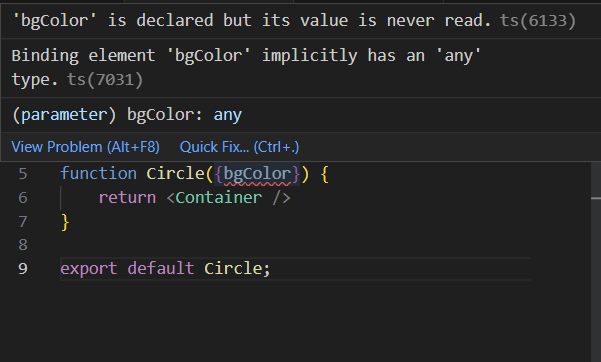
Circle.tsx에서 props인 bgColor를 Typescript가 이해하지 못하고 있습니다. 따라서 interface를 해주겠습니다.
- interface란?
object shape(객체모양)을 Typescript에게 설명해주는 Typescript의 개념입니다. object가 어떤 모양인지 typescript에게 설명해주는 것입니다.
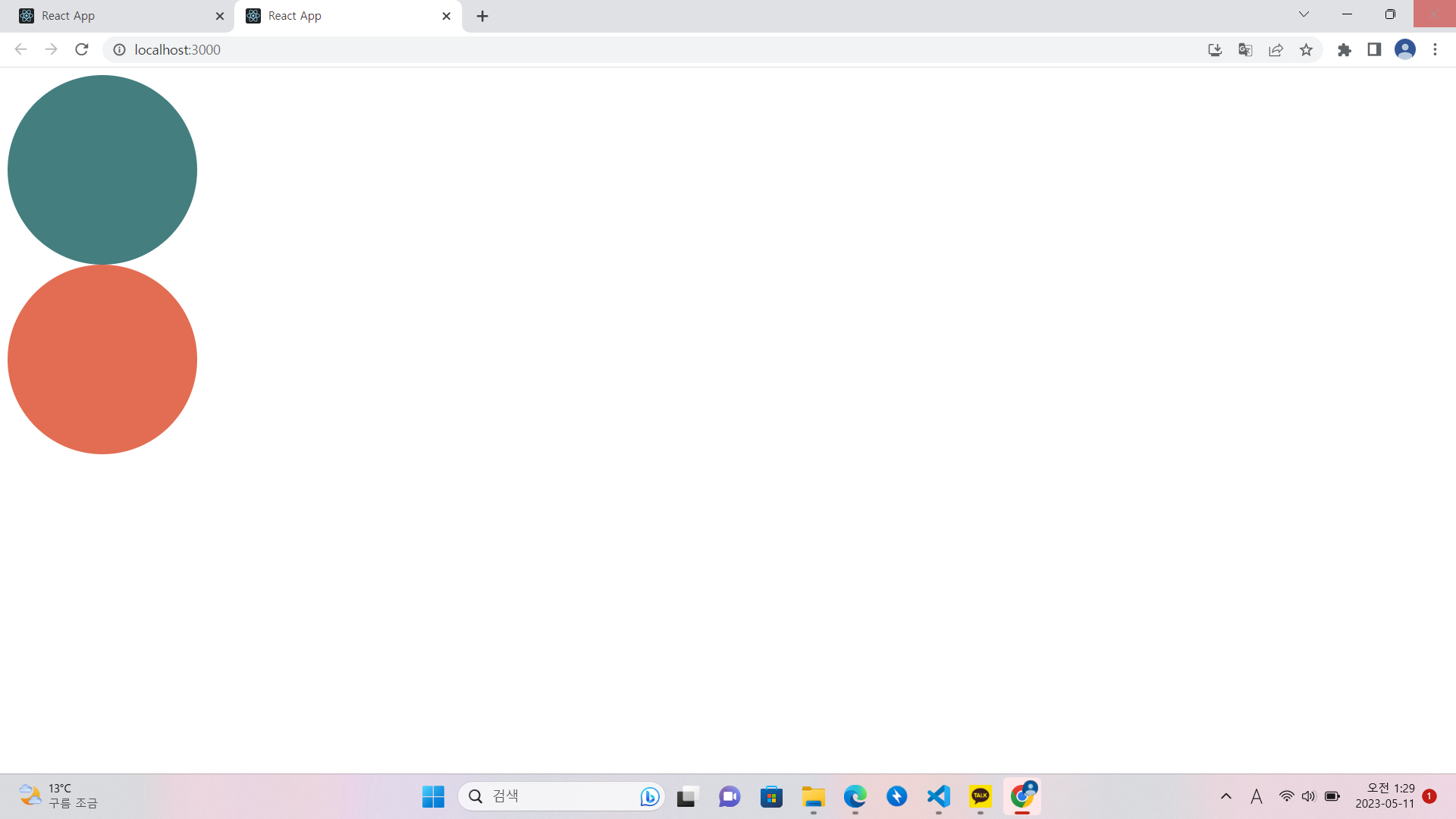
브라우저에 배경색상이 다른 두개의 원모양을 출력해보는 예제를 해보겠습니다.
- cicrle.tsx
import styled from "styled-components"

const Container = styled.div``;

interface CicleProps {
    bgColor : string;
}

function Circle({bgColor}:CicleProps) {
    return <Container />
}

export default Circle;
-> interface를 통해서 Typescript에게 object shape을 설명했습니다.
Typescript가 interface를 통해 props를 인지하게 되었고 Circle 컴포넌트는 Cicleprops를 사용할 수 있게 되었고 bgColor의 type은 string인것도 Typescript가 인지하고 있습니다. 따라서 type을 잘못 입력하면 저희에게 알려주게 됩니다.
- App.tsx
error 발생

-> App.js에서 props인 bgColor를 Circle component 보내고 Circle 컴포넌트는 bgColor를 받아 props로 Container에 보내고 있기 때문에 props를 계속해서 보내고 있습니다. 하지만 여기서 문제는 Typescript가 봤을 때 Container는 div라고만 인지하고 있고 Container는 어떤 props로 받고 있지 않습니다. 따라서 Typescript에게 props를 styled-component인 Container 컴포넌트에도 보내고 싶다고 말해야합니다. Typesciprt가 props를 인지할 수 있도록 ContainerProps라는 또 다른 interface를 만들겠습니다.
이렇게 하면 최종적으로 error가 발생하지 않습니다. -> Container가 받는 props를 Typescript에게 잘 설명해주고 있고 Circle이 받는 props도 Typescript에게 잘 설명해주고 있음.
- 결과
+ sayHello function 사용해보기
'프론트엔드 > ReactJS 마스터' 카테고리의 다른 글
| [React] Typescript와 React로 Form 구현하기 (0) | 2023.05.11 |
|---|---|
| [React] Typescript - Optional Props (0) | 2023.05.11 |
| [React] React에서 Typescript 사용하기 - 환경셋팅 (1) | 2023.05.10 |
| [React] styled component(5) - Themes (0) | 2023.05.10 |
| [React] styled component(4) - Animations and Pseudo Selectors/State Selectors (0) | 2023.05.10 |


